Join our Zoom event in partnership with Microsoft & receive up to RM10,000 in Caction and Microsoft Power BI usage credits. T&Cs apply.
For service and maintenance teams spread across multiple sites, a good system keeps job and machine details organised on dedicated pages, lets teams update progress in real time, and guides work with clear step-by-step SOP to-do lists—helping them deliver consistent, high-quality service.
Rated 4.9 on Google Reviews























Job updates come through chats. Photos are in someone’s phone. Service details are in paper forms or spreadsheets.
Each service job has its own page, with the right people, asset details, and location tagged and linked. Technicians can start work immediately, follow guided SOPs, and record photos, forms, and notes under the job.
Not because they don’t trust the team—but because they don’t have a clear view. So they call. They message. They ask for updates. And work keeps getting interrupted.
Under each job, teams can post real-time updates in the comments and tag others to collaborate. All updates stay linked to the job, creating a complete record that can be referred to in the future.
Everything feels fine until a customer complains. By then, the job is closed, details are missing, and teams are trying to explain what already happened.
When work details are recorded properly, patterns across jobs and equipment become clear. Teams can address issues earlier, reduce repeat visits, and support customers with confidence.
Clear Job Visibility
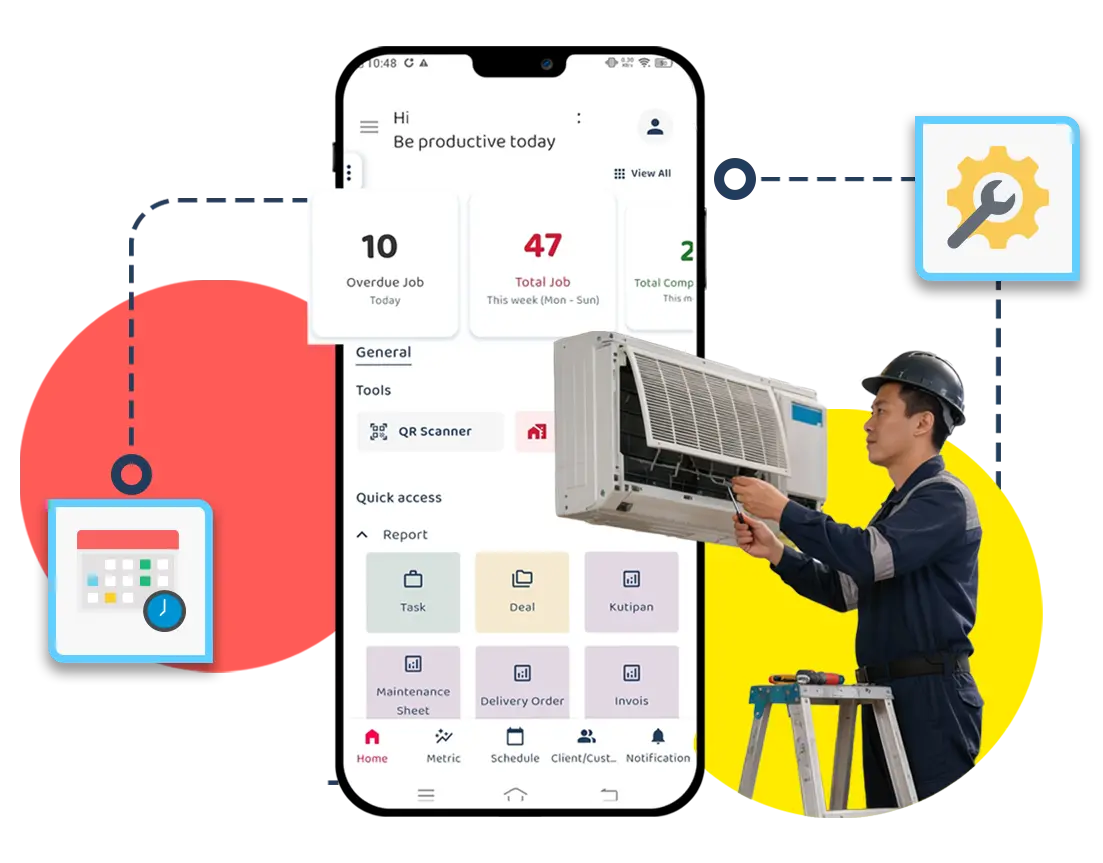
A master job schedule in a calendar view makes it easy to track work, so everyone knows what’s happening.
Smarter Routes, Better Use of Time
Jobs are planned by location, priority, and technician availability, ensuring the right technician is assigned at the right time.
Less Firefighting Everyday
When jobs are planned clearly and changes are visible, teams can adapt without confusion.
Work Is Recorded as It Happens
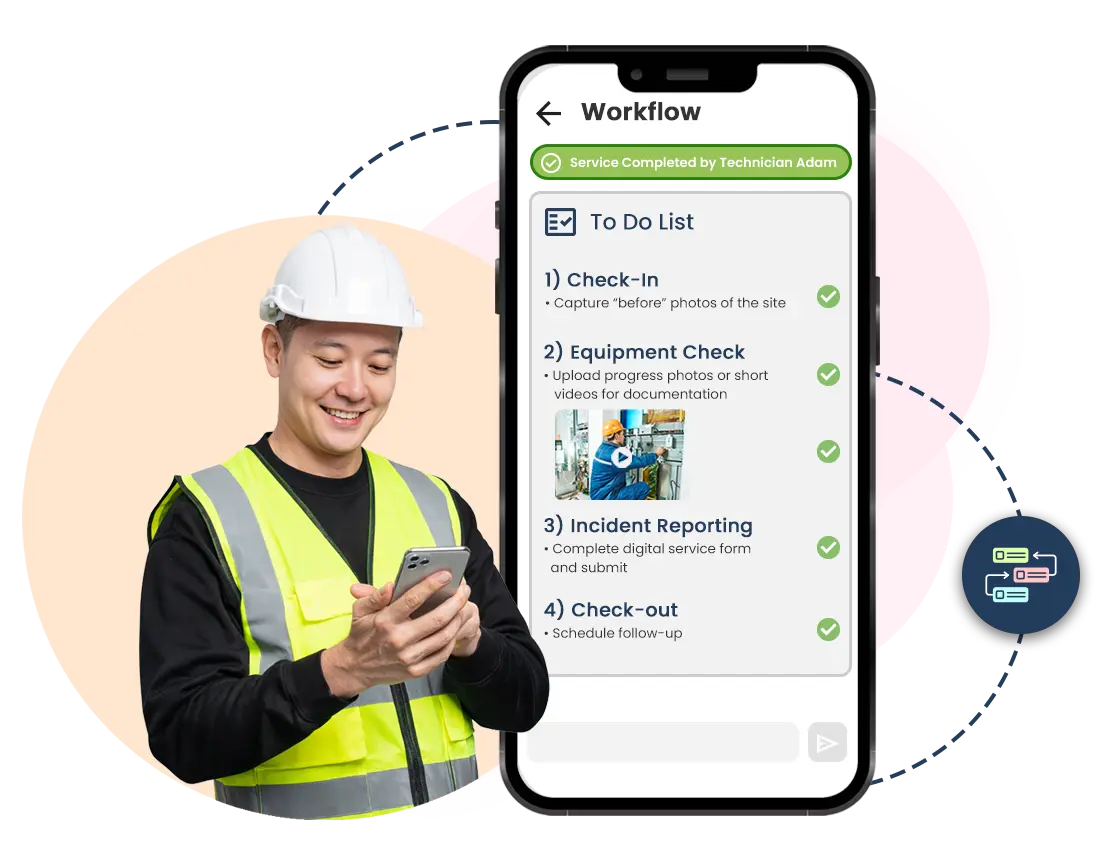
Managers and supervisors can create customisable to-do lists, outlining every step technicians must complete before closing a job, including GPS-based check-in, service updates, photos, and forms.
Clear Proof When Questions Arise
Each job includes timestamps, locations, authenticated photos and service details, making it easy to verify work for audits, disputes, or customer reviews.
Confidence for Teams and Customers
With proper documentation in place, teams avoid misunderstandings and customers gain trust in the quality of service delivered.
Know What Equipment You’re Supporting
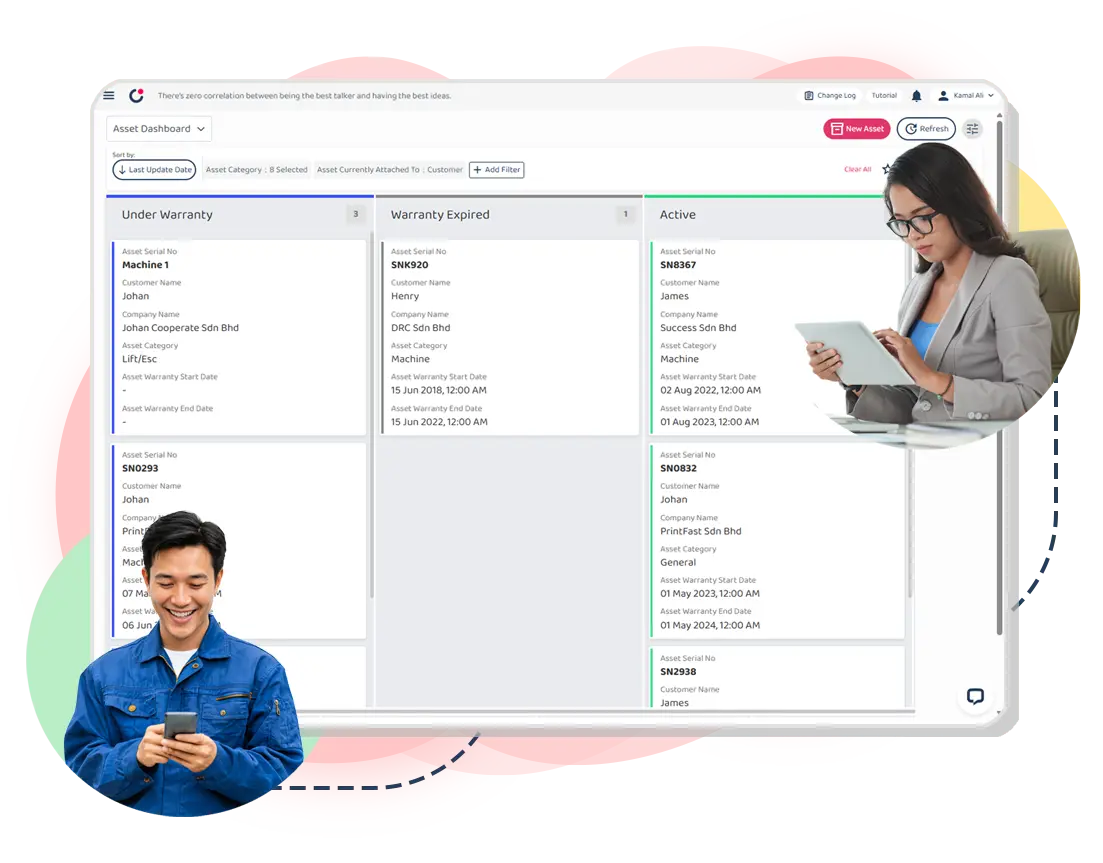
Every asset has its own history—service records, breakdowns, and past work—so teams understand the condition of equipment before arriving on site.
Track Parts Without Guesswork
Parts usage is recorded and updated as work happens, showing what was used, where it went, and for which job—reducing losses and manual tracking.
Keep Stock at the Right Level
With clear visibility into usage and inventory, teams know when to replace consumables, restock on time, avoid shortages, and reduce over-ordering—helping protect margins and increase profitability.
Service Sheets Go Digital
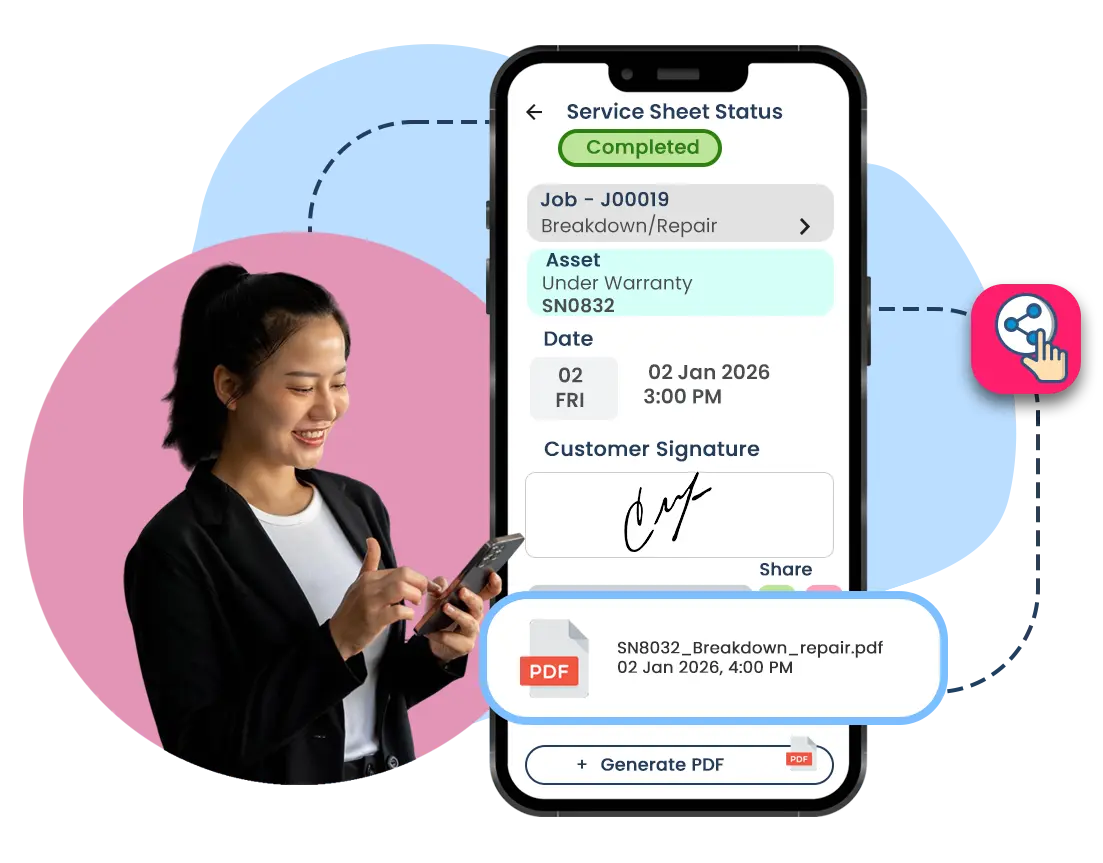
Technicians complete customisable service sheets and checklists on their devices, getting instant client sign-offs on the spot.
Faster Client Approvals
Customers can review, approve work and provide rating on the spot, reducing delays, follow-ups, and back-and-forth after the job is done.
Clear Records, Ready When Needed
All forms are stored with the job record, making it easy to retrieve details for billing, audits, or future reference.
See What’s Working—and What’s Not
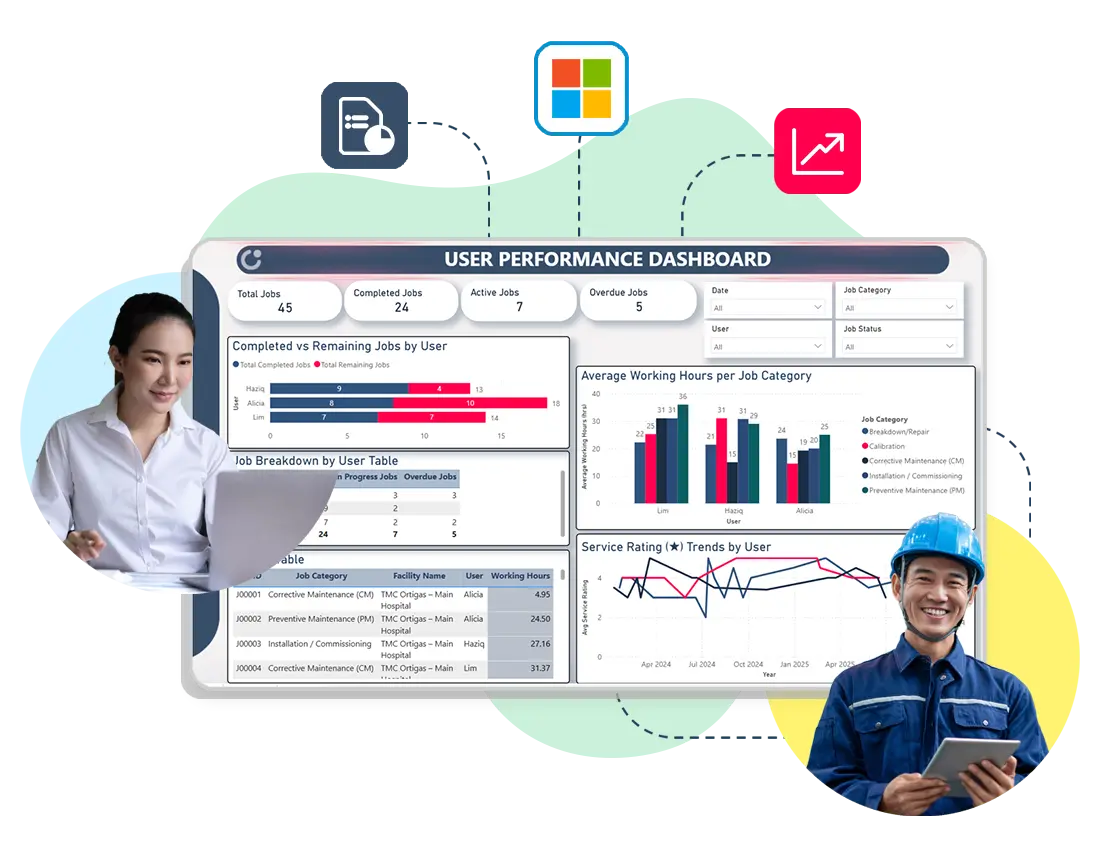
Caction includes built-in Microsoft technologies and advanced capabilities that analyse daily job data, response times, and service outcomes, presenting them as clear charts for a quick performance overview.
Shift From Reactive Repairs to Preventive Maintenance
With proper records, patterns in delays, repeat jobs, or machine breakdowns become visible early, allowing teams to plan preventive maintenance before problems escalate.
Make Better Decisions With Confidence
Our AI uses service and asset data your technicians record everyday to identify warning signs and predict issues early, helping teams plan maintenance proactively instead of waiting for breakdowns to happen.
Clear Job Visibility
A master job schedule in a calendar view makes it easy to track work, so everyone knows what’s happening.
Smarter Routes, Better Use of Time
Jobs are planned by location, priority, and technician availability, ensuring the right technician is assigned at the right time.
Less Firefighting Everyday
When jobs are planned clearly and changes are visible, teams can adapt without confusion.
Work Is Recorded as It Happens
Managers and supervisors can create customisable to-do lists, outlining every step technicians must complete before closing a job, including GPS-based check-in, service updates, photos, and forms.
Clear Proof When Questions Arise
Each job includes timestamps, locations, authenticated photos and service details, making it easy to verify work for audits, disputes, or customer reviews.
Confidence for Teams and Customers
With proper documentation in place, teams avoid misunderstandings and customers gain trust in the quality of service delivered.
Know What Equipment You’re Supporting
Every asset has its own history—service records, breakdowns, and past work—so teams understand the condition of equipment before arriving on site.
Track Parts Without Guesswork
Parts usage is recorded and updated as work happens, showing what was used, where it went, and for which job—reducing losses and manual tracking.
Keep Stock at the Right Level
With clear visibility into usage and inventory, teams know when to replace consumables, restock on time, avoid shortages, and reduce over-ordering—helping protect margins and increase profitability.
Service Sheets Go Digital
Technicians complete customisable service sheets and checklists on their devices, getting instant client sign-offs on the spot.
Faster Client Approvals
Customers can review, approve work and provide rating on the spot, reducing delays, follow-ups, and back-and-forth after the job is done.
Clear Records, Ready When Needed
All forms are stored with the job record, making it easy to retrieve details for billing, audits, or future reference.
See What’s Working—and What’s Not
Caction includes built-in Microsoft technologies and advanced capabilities that analyse daily job data, response times, and service outcomes, presenting them as clear charts for a quick performance overview.
Shift From Reactive Repairs to Preventive Maintenance
With proper records, patterns in delays, repeat jobs, or machine breakdowns become visible early, allowing teams to plan preventive maintenance before problems escalate.
Make Better Decisions With Confidence
Our AI uses service and asset data your technicians record everyday to identify warning signs and predict issues early, helping teams plan maintenance proactively instead of waiting for breakdowns to happen.
26
Countries
400,000+
Equipment
60,000+
Jobs Monthly
20 Industries,
300k Users
1.5M+ Hrs
Saved
" Caction has given me visibility into our customer database and operations across different branches. Before customers even reach out, we’re already aware of potential issues and act quickly to resolve them, resulting in satisfied clients. "
“Our field staff being able to update activities while on the move really simplified our work. With everything ... digitalised and centralised, managers can easily extract info, check job statuses and manage more efficiently with data. Caction has greatly improved our work efficiency”
“Caction has been very helpful in monitoring my employees’ punctuality and efficiency. After using the system, we can ... have an easier overview of the progress of the jobs and can make the necessary adjustments accordingly”
“The system has helped us increase our efficiency in managing the team. We are able to ensure the safety of the workers and ... also for attendance purposes”
“The system features are good and beneficial in a lot of different ways for our company”
“Caction has improved our productivity and efficiency by enabling us ... to have an overview the sitework and job process which makes it easy to overlook the progress”
“So far, the system has been very satisfying and reduced a lot of workload in ... checking on the work done by the engineers. Hope Caction can keep up the good work”
Caction partners with leading organizations to advance digital transformation. It is an MD Status company, recognised under MDEC’s program.
The company has also been awarded the MDAG-AI Grant by MDEC for the year 2025.
Being a Registered Microsoft Partner, Caction joins Microsoft in initiatives that advance technology adoption and operational excellence across industries.