Join our Zoom event in partnership with Microsoft & receive up to RM10,000 in Caction and Microsoft Power BI usage credits. T&Cs apply.
Your team spends hours fixing a machine, only for it to fail days later because nobody realized another technician patched the exact same part last month. Every time a client asks why a piece of equipment keeps breaking down, you're left stuttering because you can't pull up its repair history to give them an answer. This endless loop wastes your time, drains your resources, and keeps you from ever getting ahead.
Rated 4.9 on Google Reviews























Relying on paper or spreadsheets makes it impossible to see the big picture. Without a central system to track service cycles, you’re forced to wait for equipment to break before you know there’s a problem.
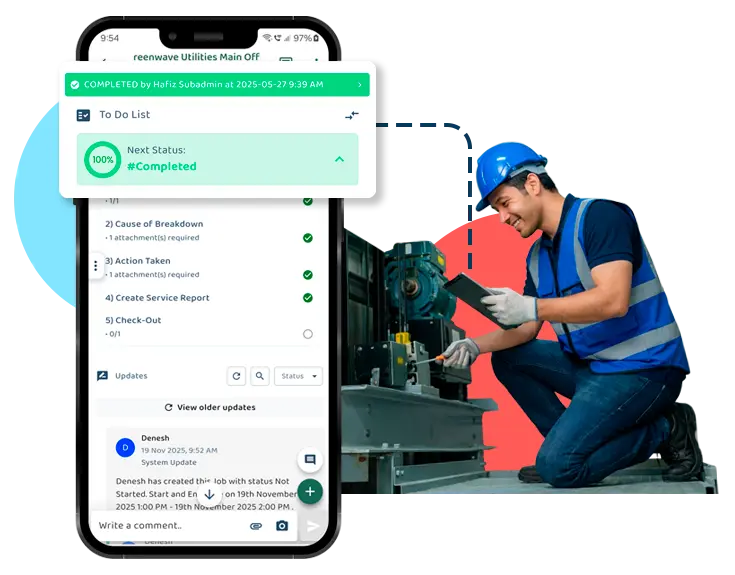
You need a structured system that centralizes your digital records. Without it, you lack repair history and deep insights. A unified platform changes this, giving you a clear, live view of job progress so you can catch issues before they turn into costly emergencies.
One-Tap Asset History: Scan a QR code to see all past repairs and notes instantly—no more digging through files.
Automatic Reminders: Stop manual tracking; Caction alerts your team exactly when an inspection is due, so nothing is ever missed.
Spot Problems Early With AI: See performance trends, like how often a machine breaks down and fix the root cause instead of just patching it.
Proof of Work: Every job is saved with digital notes and sign-offs, giving you a complete, professional record to show your clients.

End the Confusion
Stop relying on fragmented texts. Centralize every job with permanent details and instant alerts, eliminating excuses and ensuring everyone knows exactly what to do.
Stop Missing Steps
Without structure, techs may skip critical steps. Our digital checklists enforce your SOPs—if a required photo or inspection isn't uploaded, the job cannot be closed. No more guessing if the work meets your standards.
Kill the "Update" Call
Eliminate time-wasting check-ins. With real-time status updates and photos flowing straight to your dashboard, you gain effortless visibility without interrupting your team’s workflow.
Schedule Maintenance Before Breakdowns
Clear service history reveals recurring patterns and machine behaviour, helping teams plan preventive maintenance instead of reacting to breakdowns.
Easy Overview Of Asset Details
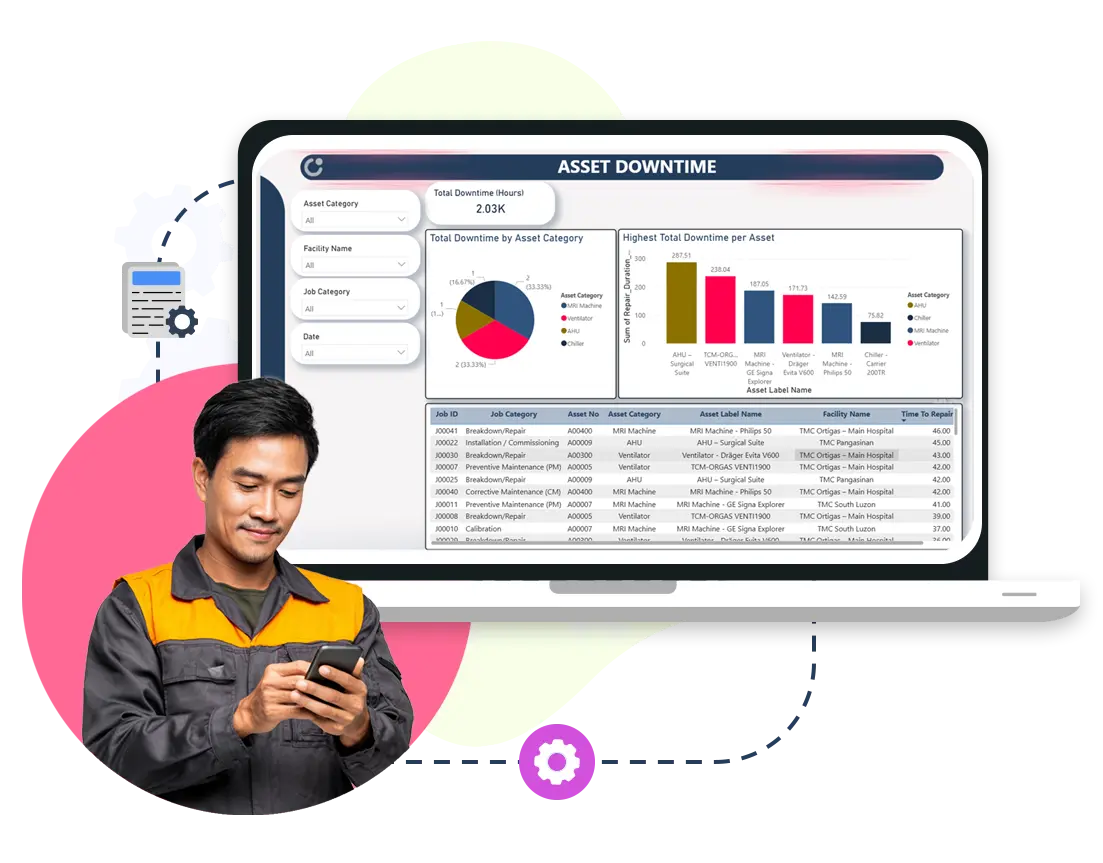
Caction has built-in Microsoft analytics tools to present easy overview charts of parts and assets performance such as showing which assets break down most often.
See How Different Assets Perform Over Time
Maintenance history shows how often each asset breaks down, how frequently parts are replaced, and how much effort is required to keep it running.
Understand Asset Condition at a Glance
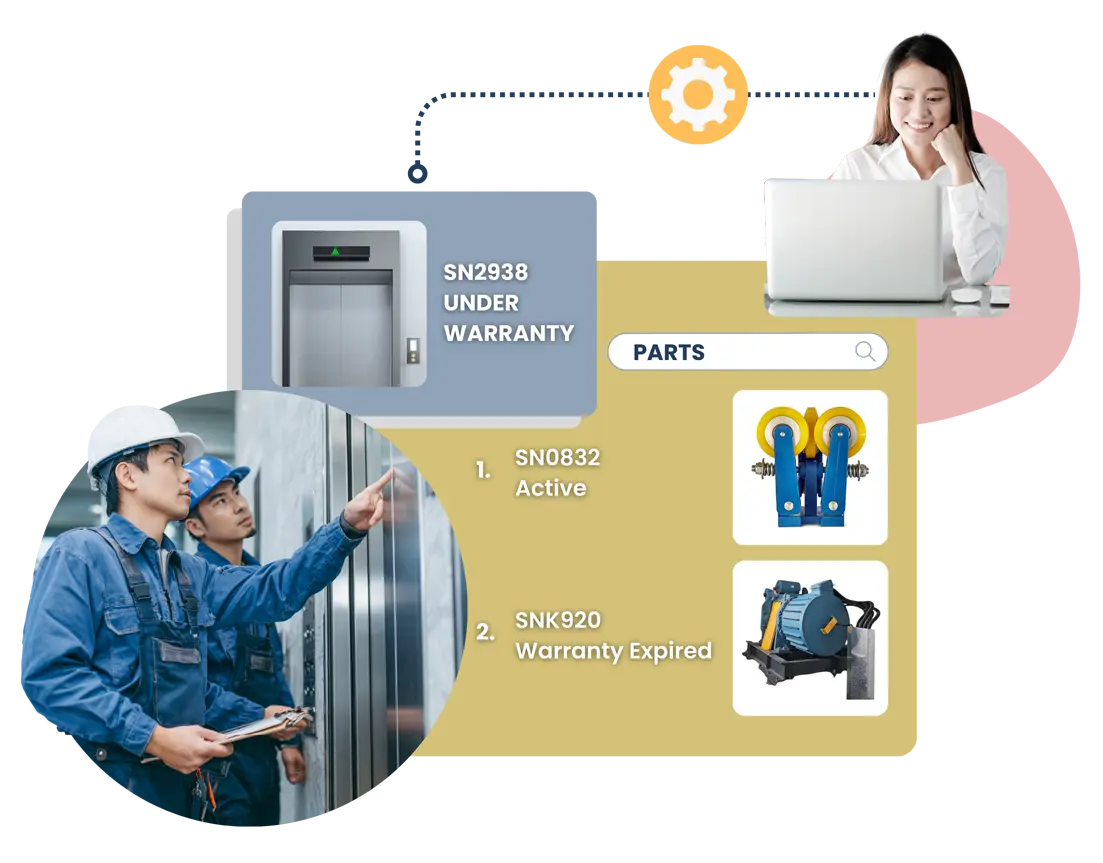
Each asset and part is tied to its service history, accessible by scanning a QR code on the asset—so technicians and managers can view past maintenance, inspections, and parts used before arriving on site.
Avoid Understocking and Overstocking
Technicians update parts used, and the system automatically updates stock levels—so parts are available when needed and job delays are avoided.
Boost Profitability
With proper records, teams know when consumables need replacing, supporting smoother operations and better margins.
Keep Maintenance Records Easy to Retrieve
Service history, inspections, and maintenance actions are recorded as work happens, so information is available when it’s needed.
Show What Was Done, Not Just What Was Planned
Completed maintenance work is documented clearly, making it easier to answer questions from auditors, customers, or internal teams.
Build Trust With Clear Records
When questions come up, teams can show what was done and when—reducing disputes, rework, and uncertainty.
Reduce Time Spent Searching for Information
Technicians can quickly see relevant maintenance history and task details on an intuitive interface, so work starts sooner and decisions are clearer.
Make Updates Part of the Work
Maintenance progress is recorded as tasks are completed, removing the need for end-of-day reporting or duplicate paperwork.
Generate Service Sheets Easily
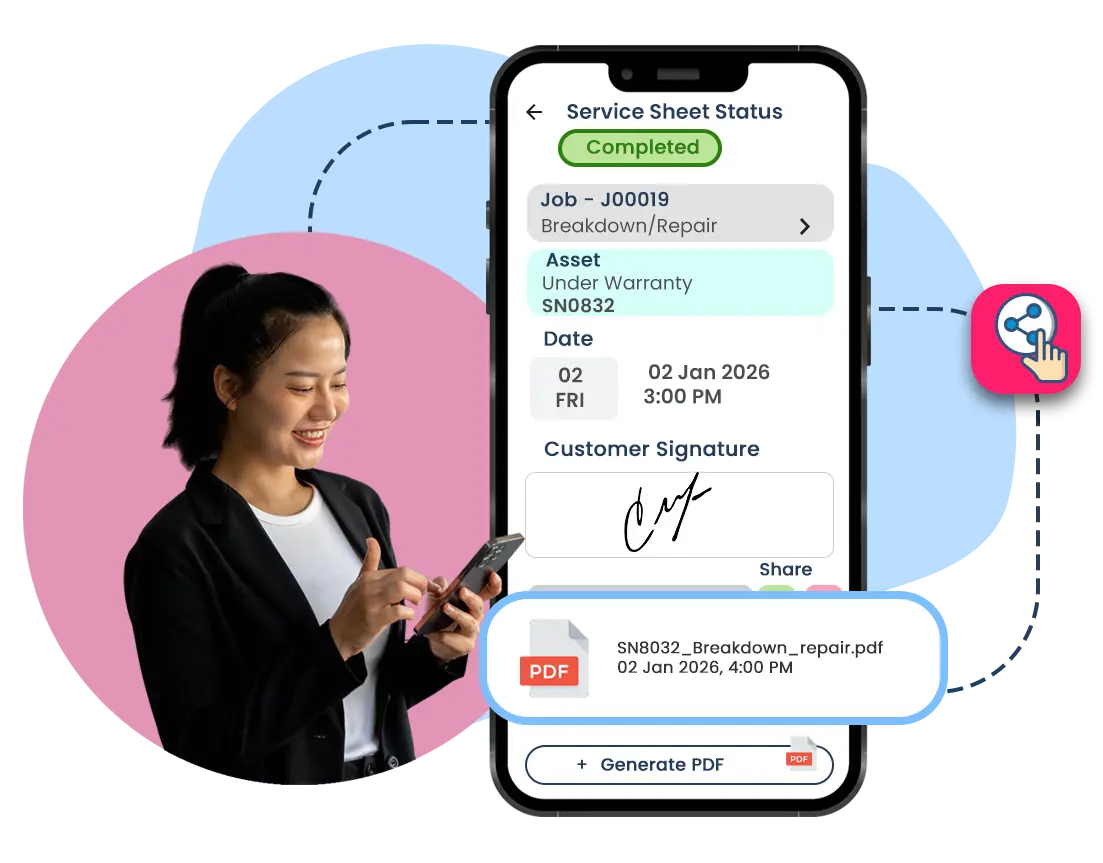
Digital service sheets let technicians capture work details on-site and secure customer sign-offs instantly—without paperwork or follow-ups.

End the Confusion
Stop relying on fragmented texts. Centralize every job with permanent details and instant alerts, eliminating excuses and ensuring everyone knows exactly what to do.
Stop Missing Steps
Without structure, techs may skip critical steps. Our digital checklists enforce your SOPs—if a required photo or inspection isn't uploaded, the job cannot be closed. No more guessing if the work meets your standards.
Kill the "Update" Call
Eliminate time-wasting check-ins. With real-time status updates and photos flowing straight to your dashboard, you gain effortless visibility without interrupting your team’s workflow.
Schedule Maintenance Before Breakdowns
Clear service history reveals recurring patterns and machine behaviour, helping teams plan preventive maintenance instead of reacting to breakdowns.
Easy Overview Of Asset Details
Caction has built-in Microsoft analytics tools to present easy overview charts of parts and assets performance such as showing which assets break down most often.
See How Different Assets Perform Over Time
Maintenance history shows how often each asset breaks down, how frequently parts are replaced, and how much effort is required to keep it running.
Understand Asset Condition at a Glance
Each asset and part is tied to its service history, accessible by scanning a QR code on the asset—so technicians and managers can view past maintenance, inspections, and parts used before arriving on site.
Avoid Understocking and Overstocking
Technicians update parts used, and the system automatically updates stock levels—so parts are available when needed and job delays are avoided.
Boost Profitability
With proper records, teams know when consumables need replacing, supporting smoother operations and better margins.
Keep Maintenance Records Easy to Retrieve
Service history, inspections, and maintenance actions are recorded as work happens, so information is available when it’s needed.
Show What Was Done, Not Just What Was Planned
Completed maintenance work is documented clearly, making it easier to answer questions from auditors, customers, or internal teams.
Build Trust With Clear Records
When questions come up, teams can show what was done and when—reducing disputes, rework, and uncertainty.
Reduce Time Spent Searching for Information
Technicians can quickly see relevant maintenance history and task details on an intuitive interface, so work starts sooner and decisions are clearer.
Make Updates Part of the Work
Maintenance progress is recorded as tasks are completed, removing the need for end-of-day reporting or duplicate paperwork.
Generate Service Sheets Easily
Digital service sheets let technicians capture work details on-site and secure customer sign-offs instantly—without paperwork or follow-ups.
" Caction’s system has certainly improved our productivity and simplified work for us. We are able to plan jobs ahead of time digitally and have visibility in the field. "
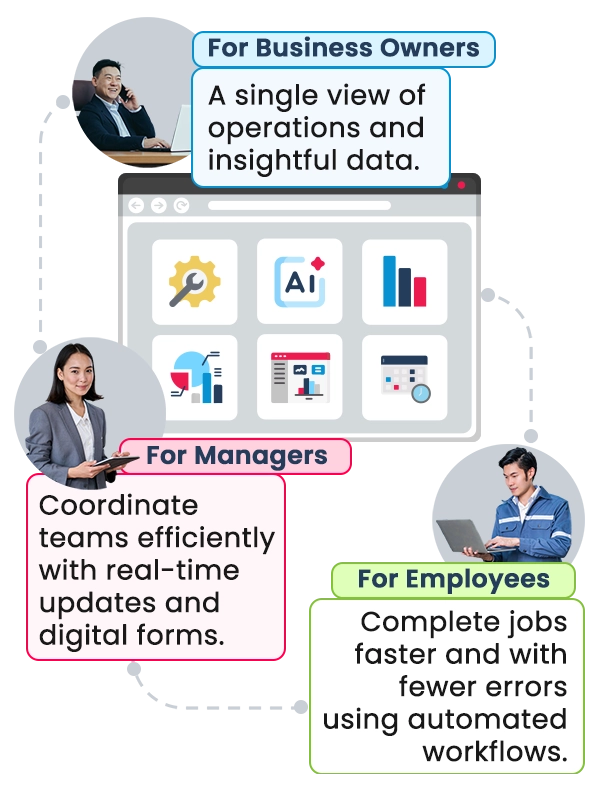
Trusted by hundreds of companies and organisations, Caction is an all-in-one platform that helps teams deliver a consistent customer experience wherever work happens.
Caction is also one of the few systems built with Microsoft’s advanced technologies, providing clear, easy-to-understand charts and dashboards that offer insight into team performance, sales pipeline, job distribution, and job status—so leaders can immediately benefit from advanced and AI capabilities without needing a team of technical experts.
26
Countries
400,000+
Equipment
60,000+
Jobs Monthly
20 Industries,
300k Users
1.5M+ Hrs
Saved