Join our Zoom event in partnership with Microsoft & receive up to RM10,000 in Caction and Microsoft Power BI usage credits. T&Cs apply.
There is nothing more painful than watching your hard-earned growth be eroded by internal chaos. As you scale, your old processes are breaking under the pressure—one missed detail here, a customer complaint there, and a technician error in between. Suddenly, chaos is your daily routine. Your reputation erodes, and your profits leak away by the hour. This isn’t just 'busy work'; it’s a broken system that’s leaking your future.
Rated 4.9 on Google Reviews
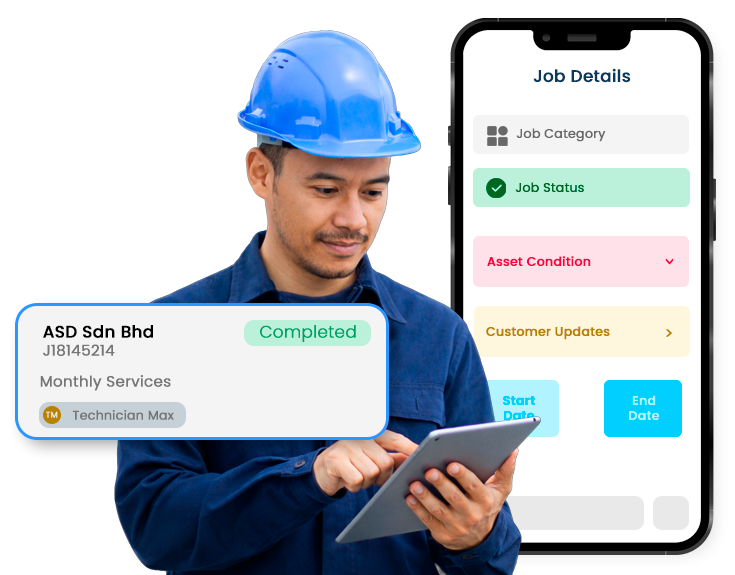























The chaos isn't happening by accident. It is the result of data shattered across fragmented tools. If you want to know what a technician is doing or why a customer is complaining, you have to stop and go hunting. You’re scrolling through endless messages and checking missed calls, trying to remember what was said. A field service management system manages this friction.
No More Chasing Updates: Instead of hunting for messages spread across different chat groups or interrogating your technicians, a central system brings together every single detail—from the initial breakdown photo and the technician’s live notes to the final sign-off—into one central, unshakeable record.
Built-in Accountability: Stop paying for "rework" trips and client complaints caused by sloppy, inconsistent work. Technicians follow a required digital to-do list, ensuring every step of the job is completed properly before they leave the site.
The End of "I'll Call You Back": Forget the panic that hits when a client calls and you have no idea what’s happening on their site. This can make your business look disorganized and unreliable. With every detail logged in one central system, you can instantly pull up the job history and provide answers with total authority.

Your Full Job History
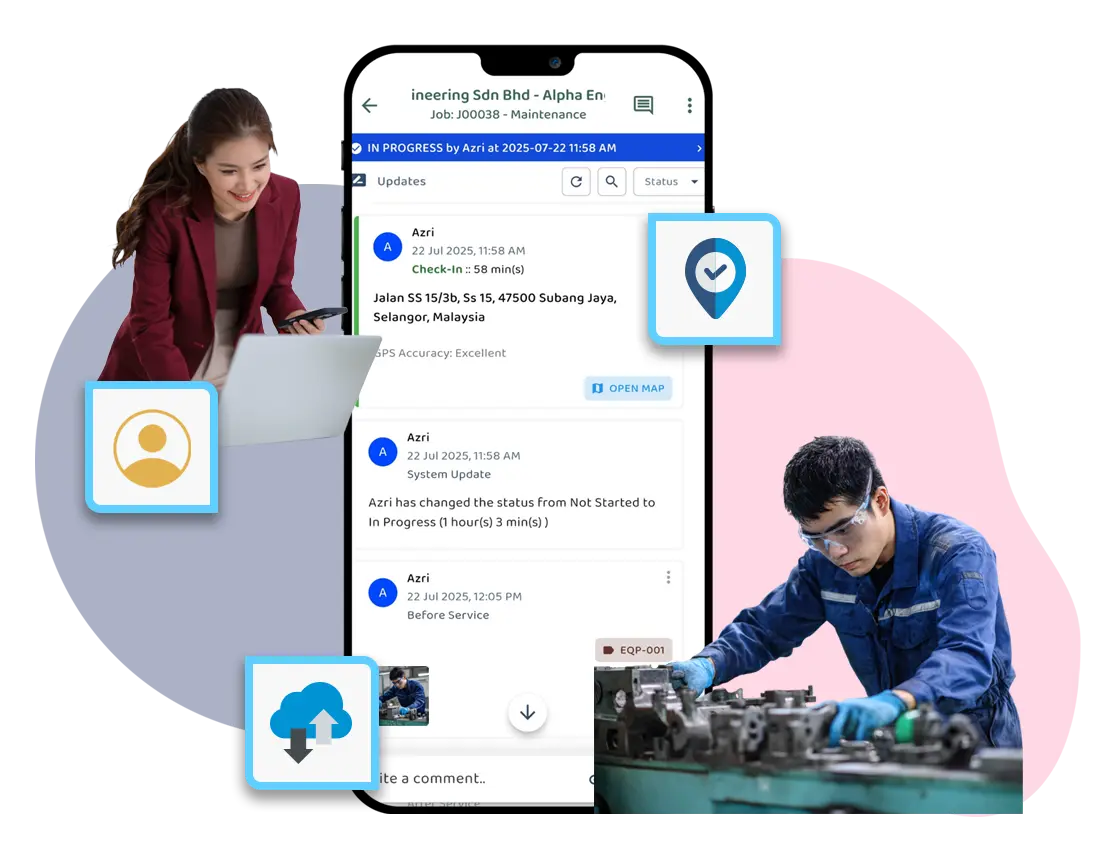
Stop hunting through endless WhatsApp chats for photos or notes. Every detail, update, and photo is pinned to the specific job, ensuring nothing slips through the cracks.
One Shared View for the Whole Team
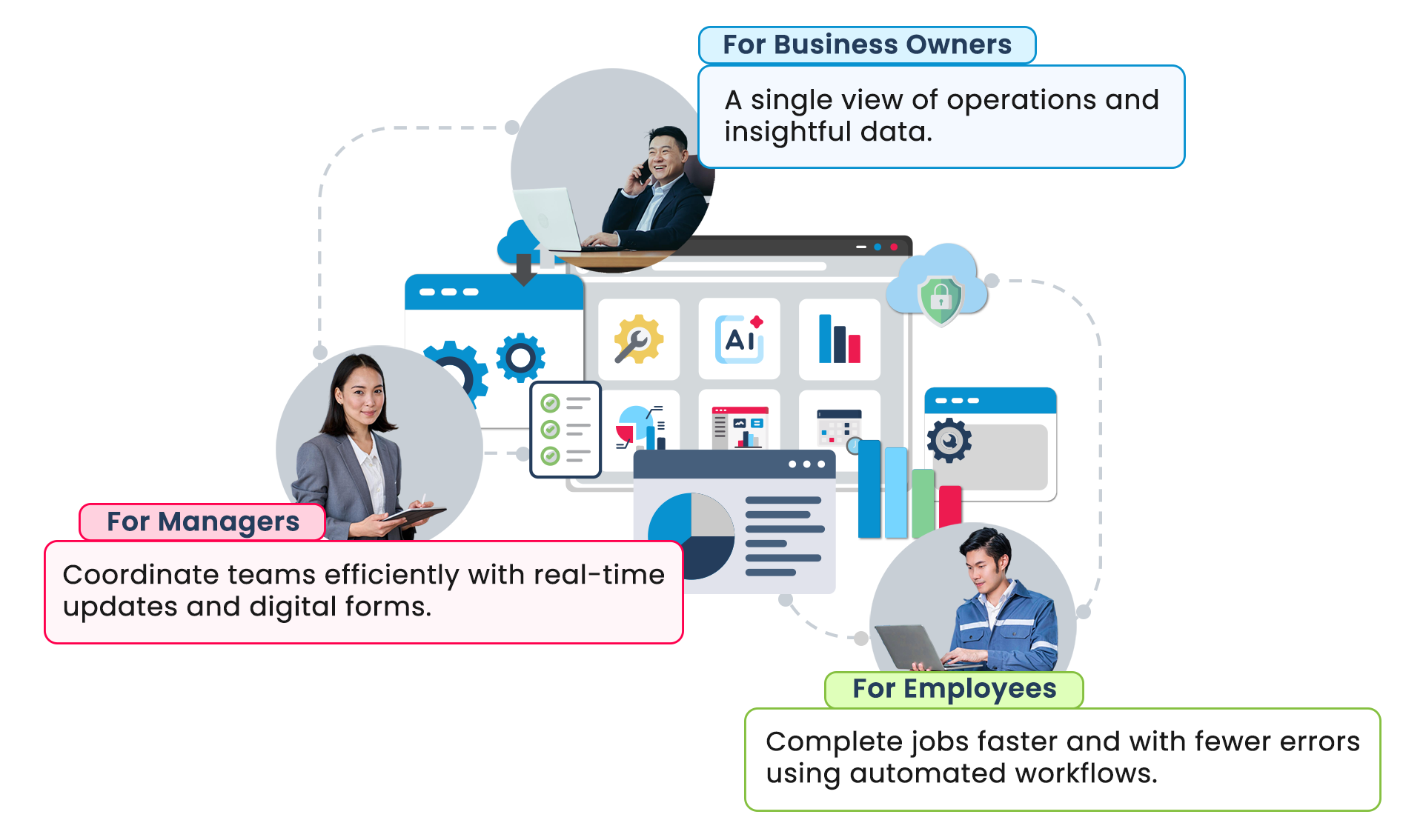
Tired of the constant back-and-forth just to check if everyone is on the same page? Avoid wasting time chasing updates. When managers, technicians, and sales staff update a job, everyone sees the exact same information in real-time.
Zero-Guesswork Updates
Stuck stuttering on the phone while a client waits for an update? You no longer have to stall or chase your technician. Simply open the job file and see exactly what happened—clearly, instantly, and in context.
See What’s Happening on the Ground
Job updates, delays, and incomplete work are visible as they happen, so issues don’t stay hidden until someone complains.
Repeated Patterns Don’t Get Missed
As service records are captured and organised, teams can clearly see patterns and trends such as asset breakdowns and plan preventive maintenance more effectively.
Act Early, Not React Late
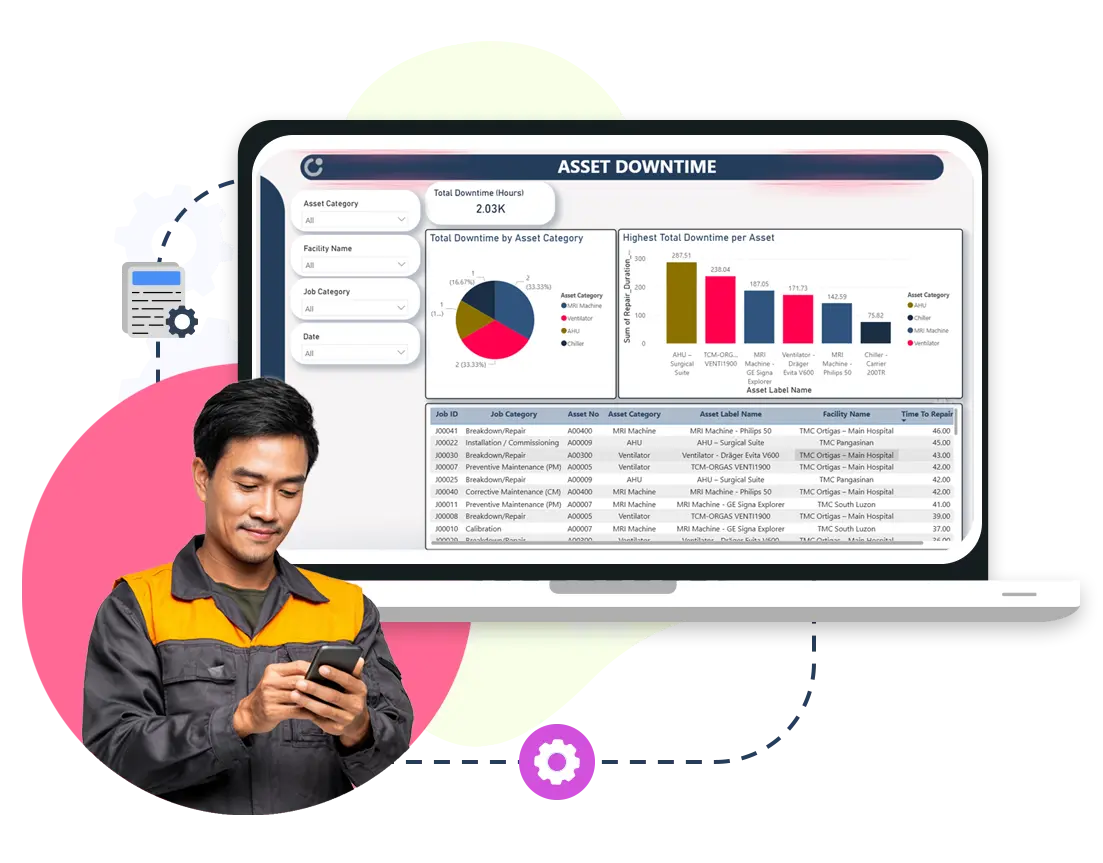
Caction uses built-in Microsoft and advanced AI technologies to transform entered data into clear charts, helping teams anticipate issues and plan maintenance early.
Clear Service History for Every Asset
Every part or machine has a complete service history, showing who worked on it and what was done, creating organised records teams can refer to in the future.
Stock Levels Kept Optimised
With proper usage records, teams maintain the right stock levels—avoiding shortages that cause delays, over-ordering, and unnecessary costs.
Smarter Consumables Management
Clear visibility into usage and inventory helps teams time consumable replacements and restock on schedule, boosting profits.
Clear Steps for Every Job
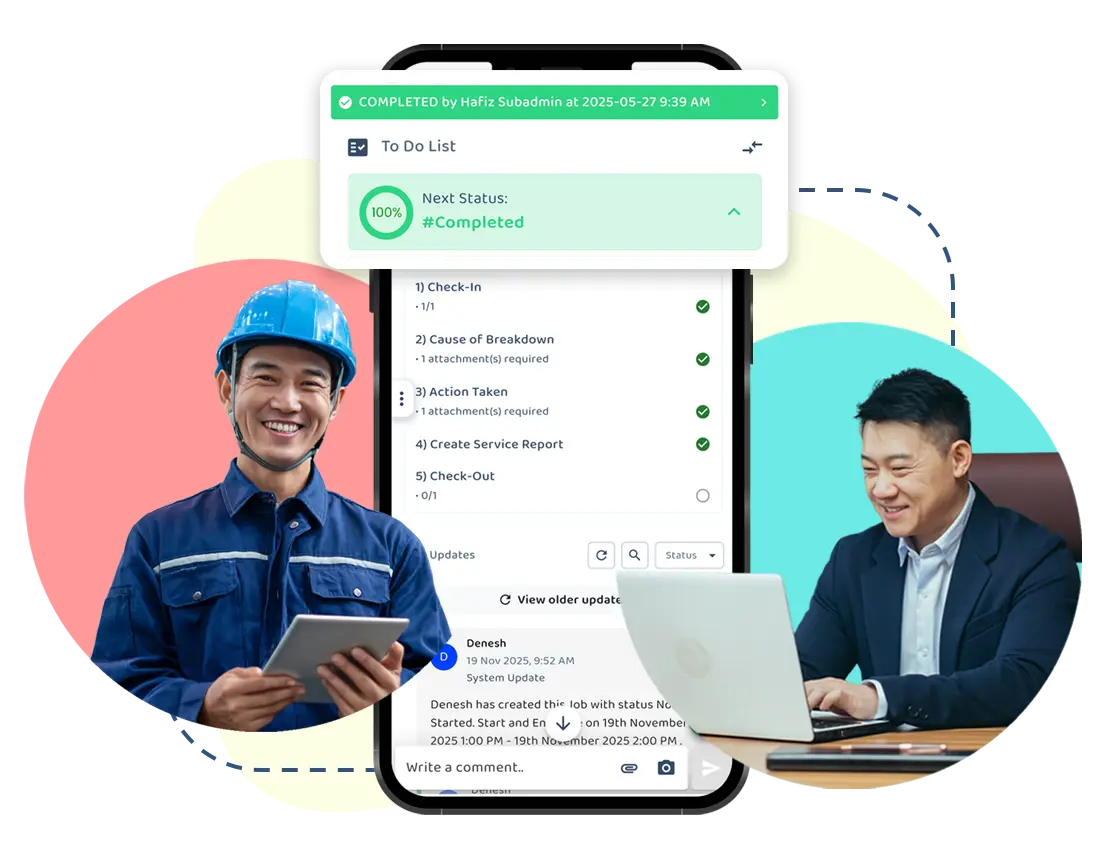
Technicians follow a digital to-do list on site with clear, guided steps—from checking in and capturing asset photos to checking out—reducing missed steps and variation in how work is done.
Less Reliance on Memory
The digital to-do list enforces SOPs that must be completed before a job can be closed, so work doesn’t depend on who remembers what.
Reliable Outcomes Across Teams
Whether it’s a new technician or a familiar one, jobs are completed with the same standard and structure.
Updates Are Captured as Work Happens
Technicians record progress, photos, and notes during the job, instead of writing reports after the fact.
No Extra Reporting at the End of the Day
Because information is already captured, teams don’t need to re-enter data or recap what was done.
Cleaner Records Without Extra Effort
Job records stay complete and organised without slowing teams down or adding paperwork.

Your Full Job History
Stop hunting through endless WhatsApp chats for photos or notes. Every detail, update, and photo is pinned to the specific job, ensuring nothing slips through the cracks.
One Shared View for the Whole Team
Tired of the constant back-and-forth just to check if everyone is on the same page? Avoid wasting time chasing updates. When managers, technicians, and sales staff update a job, everyone sees the exact same information in real-time.
Zero-Guesswork Updates
Stuck stuttering on the phone while a client waits for an update? You no longer have to stall or chase your technician. Simply open the job file and see exactly what happened—clearly, instantly, and in context.
See What’s Happening on the Ground
Job updates, delays, and incomplete work are visible as they happen, so issues don’t stay hidden until someone complains.
Repeated Patterns Don’t Get Missed
As service records are captured and organised, teams can clearly see patterns and trends such as asset breakdowns and plan preventive maintenance more effectively.
Act Early, Not React Late
Caction uses built-in Microsoft and advanced AI technologies to transform entered data into clear charts, helping teams anticipate issues and plan maintenance early.
Clear Service History for Every Asset
Every part or machine has a complete service history, showing who worked on it and what was done, creating organised records teams can refer to in the future.
Stock Levels Kept Optimised
With proper usage records, teams maintain the right stock levels—avoiding shortages that cause delays, over-ordering, and unnecessary costs.
Smarter Consumables Management
Clear visibility into usage and inventory helps teams time consumable replacements and restock on schedule, boosting profits.
Clear Steps for Every Job
Technicians follow a digital to-do list on site with clear, guided steps—from checking in and capturing asset photos to checking out—reducing missed steps and variation in how work is done.
Less Reliance on Memory
The digital to-do list enforces SOPs that must be completed before a job can be closed, so work doesn’t depend on who remembers what.
Reliable Outcomes Across Teams
Whether it’s a new technician or a familiar one, jobs are completed with the same standard and structure.
Updates Are Captured as Work Happens
Technicians record progress, photos, and notes during the job, instead of writing reports after the fact.
No Extra Reporting at the End of the Day
Because information is already captured, teams don’t need to re-enter data or recap what was done.
Cleaner Records Without Extra Effort
Job records stay complete and organised without slowing teams down or adding paperwork.
" Caction’s system has certainly improved our productivity and simplified work for us. We are able to plan jobs ahead of time digitally and have visibility in the field. "
Trusted by hundreds of companies and organisations, Caction is an all-in-one platform that helps teams deliver a consistent customer experience wherever work happens.
Caction is also one of the few systems built with Microsoft’s advanced technologies, providing clear, easy-to-understand charts and dashboards that offer insight into team performance, sales pipeline, job distribution, and job status—so leaders can immediately benefit from advanced and AI capabilities without needing a team of technical experts.
26
Countries
400,000+
Equipment
60,000+
Jobs Monthly
20 Industries,
300k Users
1.5M+ Hrs
Saved