Join our Zoom event in partnership with Microsoft & receive up to RM10,000 in Caction and Microsoft Power BI usage credits. T&Cs apply.
Everything You Need to Know Before Choosing a CRM
Running a service business is no longer just about winning new customers. It’s about delivering a consistent customer experience—from the first enquiry to every completed job. Traditional CRM software helps businesses manage customer relationships. Modern service businesses need something more. They need visibility into customers, jobs, technicians, service history and daily operations—all working together to deliver better service.
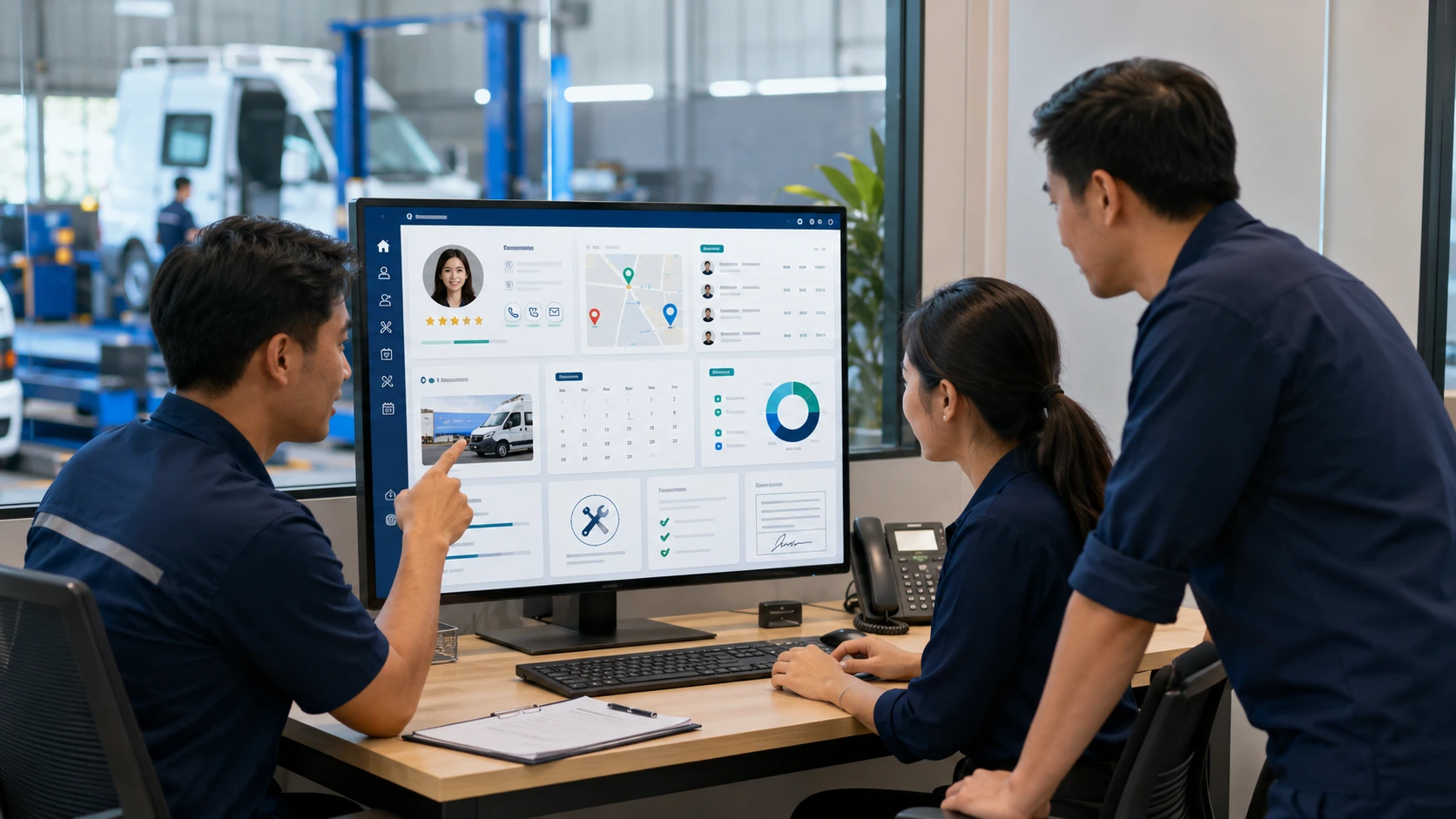
Modern service businesses need a CRM that connects customer relationships with day-to-day operations. Throughout this guide, we’ll refer to this approach as Operational CRM.
This guide explains what CRM is, how it works, why traditional CRM often falls short for service businesses, and how Operational CRM helps growing companies build stronger customer relationships through better operational execution.
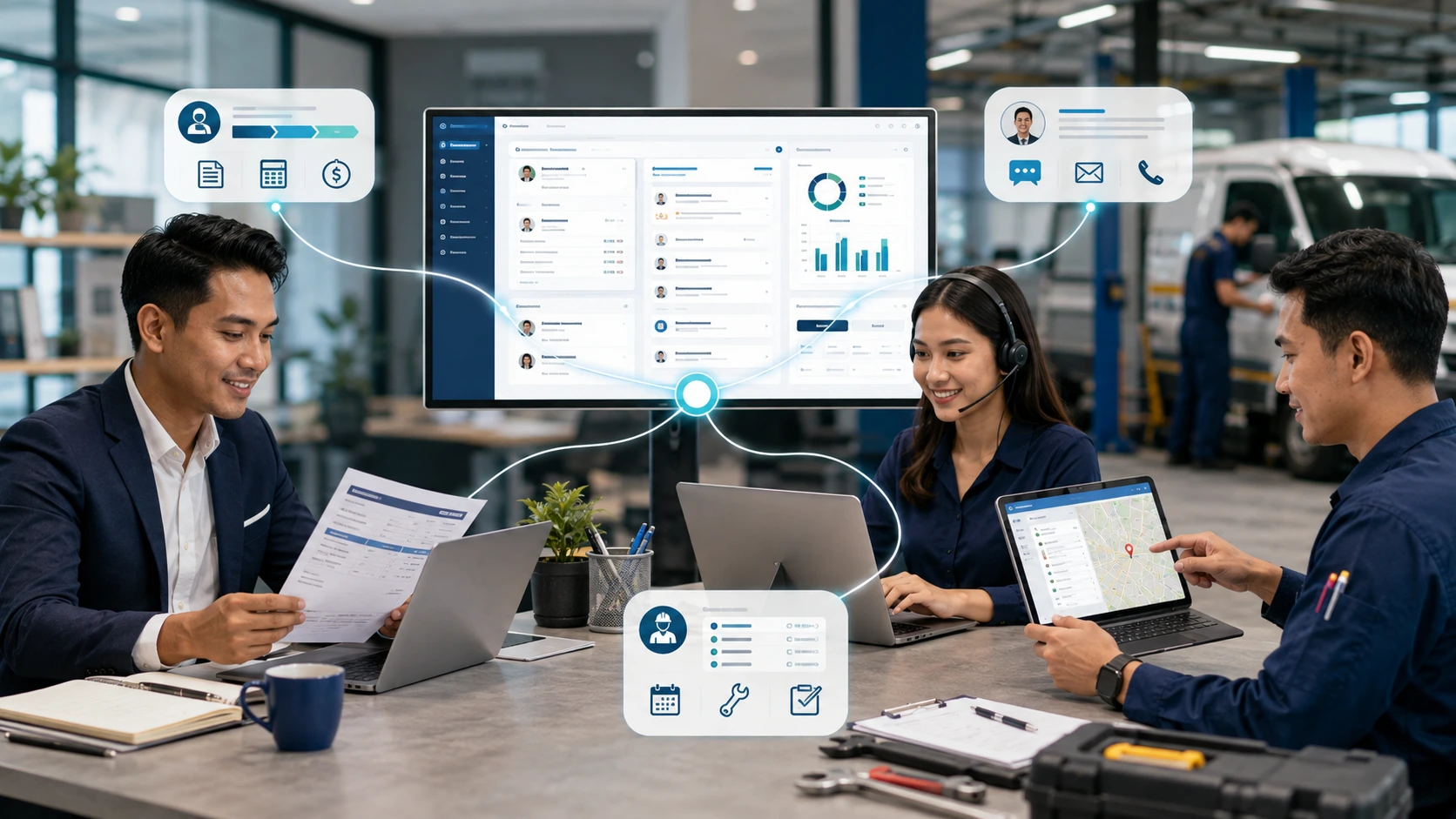
CRM (Customer Relationship Management) software helps businesses organise customer information, manage interactions and build stronger customer relationships throughout the customer lifecycle.
Instead of relying on spreadsheets, emails and messaging apps, CRM centralises customer information into one shared platform so every department works from the same data.
As businesses grow, customer information becomes increasingly difficult to manage. Different employees communicate with different customers. Sales teams send quotations. Customer service handles enquiries. Managers need visibility into ongoing relationships. Without a structured system, information becomes fragmented across multiple people and platforms. CRM was created to solve this problem by providing a single source of truth for every customer interaction.
A modern CRM typically manages:
| CRM Capability | Purpose |
|---|---|
| Customer Profiles | Store contact and company information |
| Leads & Opportunities | Track potential customers and sales progress |
| Quotations | Manage proposals and pricing |
| Communication History | Record calls, emails and meeting notes |
| Follow-ups | Ensure no customer enquiry is forgotten |
| Customer Support | Track service requests and cases |
| Reports & Dashboards | Monitor customer and sales performance |
Instead of searching across multiple systems, everyone accesses the same customer record.
CRM isn’t simply a customer database. It helps businesses become more organised, more responsive and more consistent. The biggest benefits include:
As businesses grow, these advantages become increasingly important.

Traditional CRM was originally designed to support customer-facing teams such as sales, account management and customer service. For many businesses, that’s exactly what’s needed. But service businesses operate differently. Winning the customer is only the beginning. After the sale comes scheduling, field work, inspections, maintenance, repairs, documentation and ongoing support. These activities shape the customer experience just as much as sales conversations. This is why many growing service businesses eventually discover that managing customer relationships alone isn’t enough. They also need visibility into the work being delivered.
Operational CRM builds on the strengths of traditional CRM by connecting customer management with service operations. Instead of managing customer information separately from day-to-day execution, Operational CRM brings everything together into one connected workflow. It combines customer relationships with:
Rather than asking,
“Who is this customer?”
Operational CRM also answers,
For service businesses, these operational insights are often just as important as customer information itself.
| Traditional CRM | Operational CRM |
|---|---|
| Manages customer relationships | Connects customer relationships with service operations |
| Focuses on sales and communication | Supports the complete customer journey |
| Customer history | Customer + Job + Asset + Service history |
| Office-focused | Office teams and field teams |
| Sales visibility | Operational visibility |
Traditional CRM helps businesses organise customer relationships.
Operational CRM helps service businesses deliver those relationships through consistent operational execution.
Understanding this difference is the first step towards choosing a CRM that not only manages customers, but also supports the way your business actually operates.
Traditional CRM is excellent at managing customer relationships before and after a sale.
However, service businesses also need to manage what happens between those two moments.
Once a customer says “yes”, the focus shifts from managing customer information to delivering the service itself.
That means coordinating technicians, scheduling jobs, maintaining service records, following SOPs and ensuring every customer receives a consistent experience.
This is where Operational CRM creates a significant advantage.
For many businesses, CRM successfully manages the customer journey from the first enquiry to a signed quotation. For service businesses, that’s only the beginning. After winning the customer, your team still needs to:
These operational activities have the greatest influence on how customers perceive your business. A successful sale creates a customer. Consistent service creates loyalty.
Think about the questions customers ask after they’ve engaged your services. Rarely do they ask:
Instead, they ask questions like:
These aren’t customer management questions. They’re service operation questions. And if your team can’t answer them quickly, customer confidence starts to decline.
When you’re managing a handful of jobs each day, coordinating work manually is
still manageable. As your business grows, everything becomes more complex.
More
technicians.
More customer sites.
More service requests.
More equipment.
More
inspections.
More follow-ups.
Information becomes scattered across phone calls,
WhatsApp messages, spreadsheets and individual employees. Managers spend more time
chasing updates than improving operations. At this stage, traditional CRM often reaches
its limits because it wasn’t designed to manage field execution.
Operational CRM expands the role of traditional CRM. Instead of only recording customer interactions, it connects customer information with the work required to serve those customers. This means every customer record is linked to the operational activities that shape the customer experience. Instead of switching between multiple systems, your business manages everything from one connected platform. This includes:
Everyone works from the same information, creating better coordination across the entire organisation.
| Traditional CRM | Operational CRM |
|---|---|
| Manages customer relationships | Manages customer relationships and service operations |
| Tracks enquiries and sales activities | Tracks the complete service lifecycle |
| Focuses on office-based teams | Connects office teams and field teams |
| Customer communication history | Customer, job, asset and service history |
| Improves sales visibility | Improves operational visibility |
| Supports customer follow-up | Supports customer follow-up and service execution |
Customers don’t measure your business by how well you organise your customer database. They measure your business by the quality of every service they receive. A customer gains confidence when:
Every successful service visit strengthens your customer relationship. Every poor experience weakens it. This is why customer experience depends on operational excellence—not customer information alone.
Service businesses today face growing expectations.
Customers want faster
responses.
Greater transparency.
Consistent service quality.
Immediate access to
reports.
Accurate maintenance records.
Meeting these expectations requires more
than organised customer information.
It requires connected operations.
Operational
CRM helps businesses bring together customer management, service execution and
operational visibility into one system—allowing teams to deliver a better customer
experience while scaling their business with confidence.
Traditional CRM helps businesses understand who their customers are.
Operational CRM helps businesses understand what needs to be delivered, who is delivering it and how well it’s being delivered.
For service businesses, that additional operational visibility transforms CRM from a customer database into a platform that supports the complete customer experience.
Now that we’ve established why service businesses require more than traditional customer management, the next question becomes:
What measurable business benefits can Operational CRM deliver?
In the next chapter, we’ll explore how Operational CRM improves customer satisfaction, operational efficiency and long-term business growth without adding unnecessary complexity.
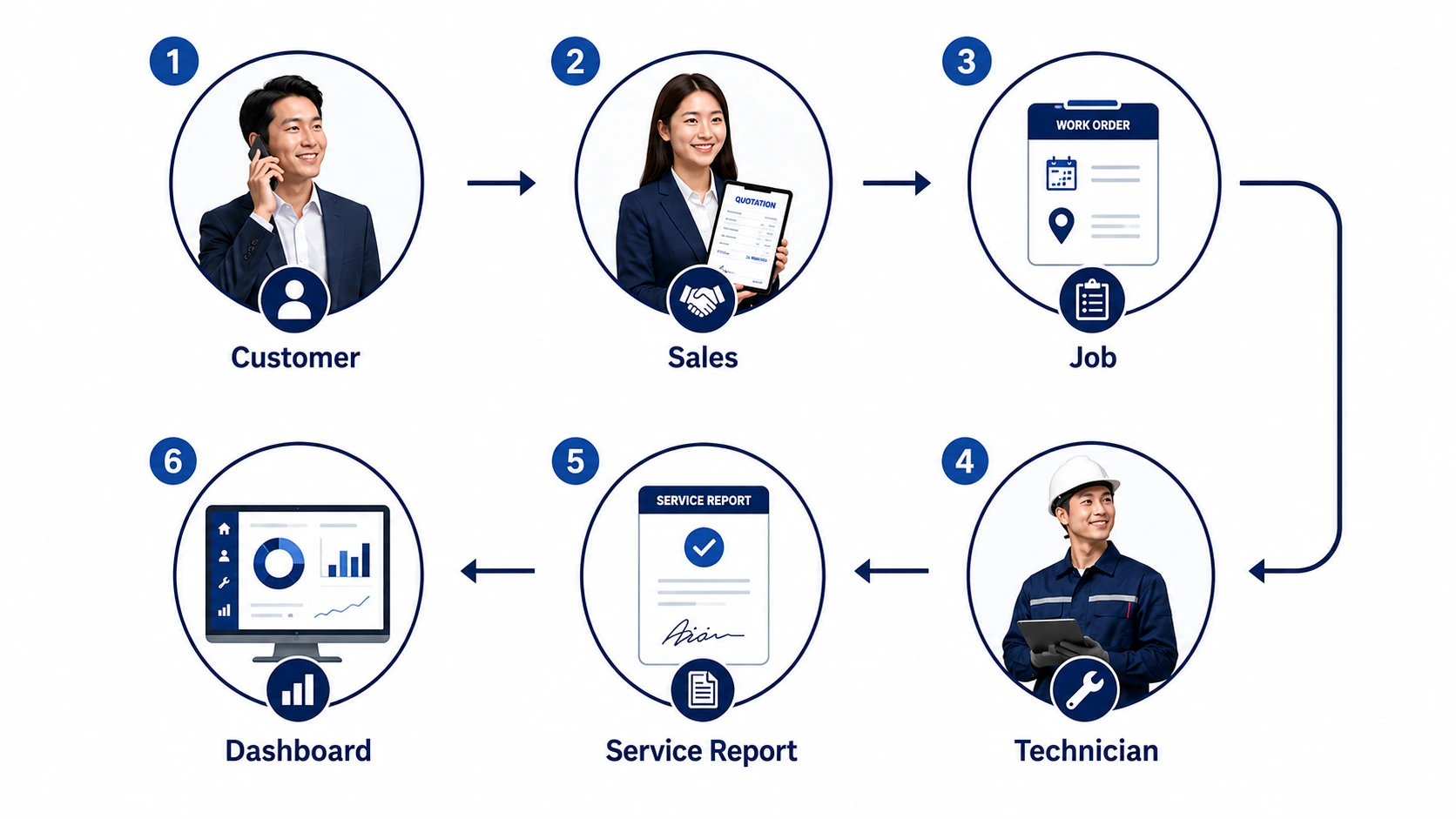
The biggest benefit of Operational CRM isn’t having more features.
It’s giving your entire business one connected view of your customers and the work being delivered.
Instead of managing customer information and daily operations separately, Operational CRM brings everything together—helping businesses improve visibility, deliver more consistent service and create better customer experiences as they grow.
Customer relationships don’t begin with the first quotation or end after a completed job. Every enquiry, quotation, service visit, inspection and follow-up adds to the customer’s journey. Operational CRM keeps this information connected, allowing your team to understand the complete relationship from one place. Instead of searching through multiple systems, employees can instantly access:
This reduces unnecessary searching while improving collaboration across the business.
Customers expect the same level of service every time they engage your business. As your workforce grows, maintaining that consistency becomes increasingly difficult. Operational CRM helps standardise how work is delivered by connecting customer records with operational processes such as:
Instead of relying on individual experience, your business follows repeatable processes that help every employee deliver consistent service.
As businesses expand, managers need more than customer information. They need operational visibility. Instead of asking multiple employees for updates, managers should be able to immediately understand:
Greater visibility allows managers to make faster and more informed decisions.
Service businesses rely on multiple departments working together.
Sales.
Customer
Service.
Operations.
Technicians.
Management.
When every department
works from different information, communication slows down and mistakes become more
common. Operational CRM creates a shared operational view where everyone accesses
the same customer and service information. This reduces duplicated work while
improving coordination across the organisation.
Many growing service businesses still rely on WhatsApp messages, phone calls and spreadsheets to coordinate daily work. As operations become busier, these manual processes become increasingly difficult to manage. Operational CRM reduces unnecessary communication by making important information available in one central platform. Instead of asking colleagues for updates, employees can access the information themselves. Less time spent coordinating means more time spent serving customers.
One of the biggest risks facing service businesses isn’t losing customers. It’s losing operational knowledge. When experienced employees leave, they often take years of customer understanding and field experience with them. Operational CRM helps businesses preserve that knowledge by recording:
Instead of depending on individual employees, valuable knowledge remains within the business.
What works for five technicians rarely works for fifty. As businesses grow, managing customers through spreadsheets, chat messages and manual coordination becomes increasingly unsustainable. Operational CRM introduces structured processes that continue working regardless of team size. Whether you’re managing 50 customers or 5,000, every department works from the same information and follows the same operational standards. This allows businesses to scale with greater confidence while maintaining service quality.

The best CRM isn’t the one with the longest feature list.
It’s the one that helps your business consistently deliver excellent customer experiences.
When evaluating CRM software, focus on capabilities that improve visibility, coordination and operational execution—not just customer record management.
Every CRM should provide a complete view of your customers. Look for features such as:
Managing customer relationships begins long before the first service visit. Essential capabilities include:
For service businesses, customer management and job management should work together. Look for:
Operational CRM should provide visibility into your field workforce. Important capabilities include:
Complete service records help businesses deliver faster and more accurate service. Look for:
Consistent service depends on consistent processes. Operational CRM should support:
Professional documentation builds customer confidence. Essential capabilities include:
Managers need insights—not just information. Look for dashboards that help answer questions such as:
Good dashboards turn operational data into better business decisions.
Every CRM helps businesses manage customer relationships.
Operational CRM goes further by connecting customer information with the daily activities that shape the customer experience.
When evaluating CRM software, don’t simply compare features.
Choose a platform that helps your business become more organised, more consistent and better prepared for long-term growth.
Now that you understand the benefits and essential capabilities of Operational CRM, the next question is:
How does it compare with other business systems such as ERP, CMMS and Field Service Management (FSM)?
In the next chapter, we’ll clarify the role of each system and help you determine which solution best fits your business.
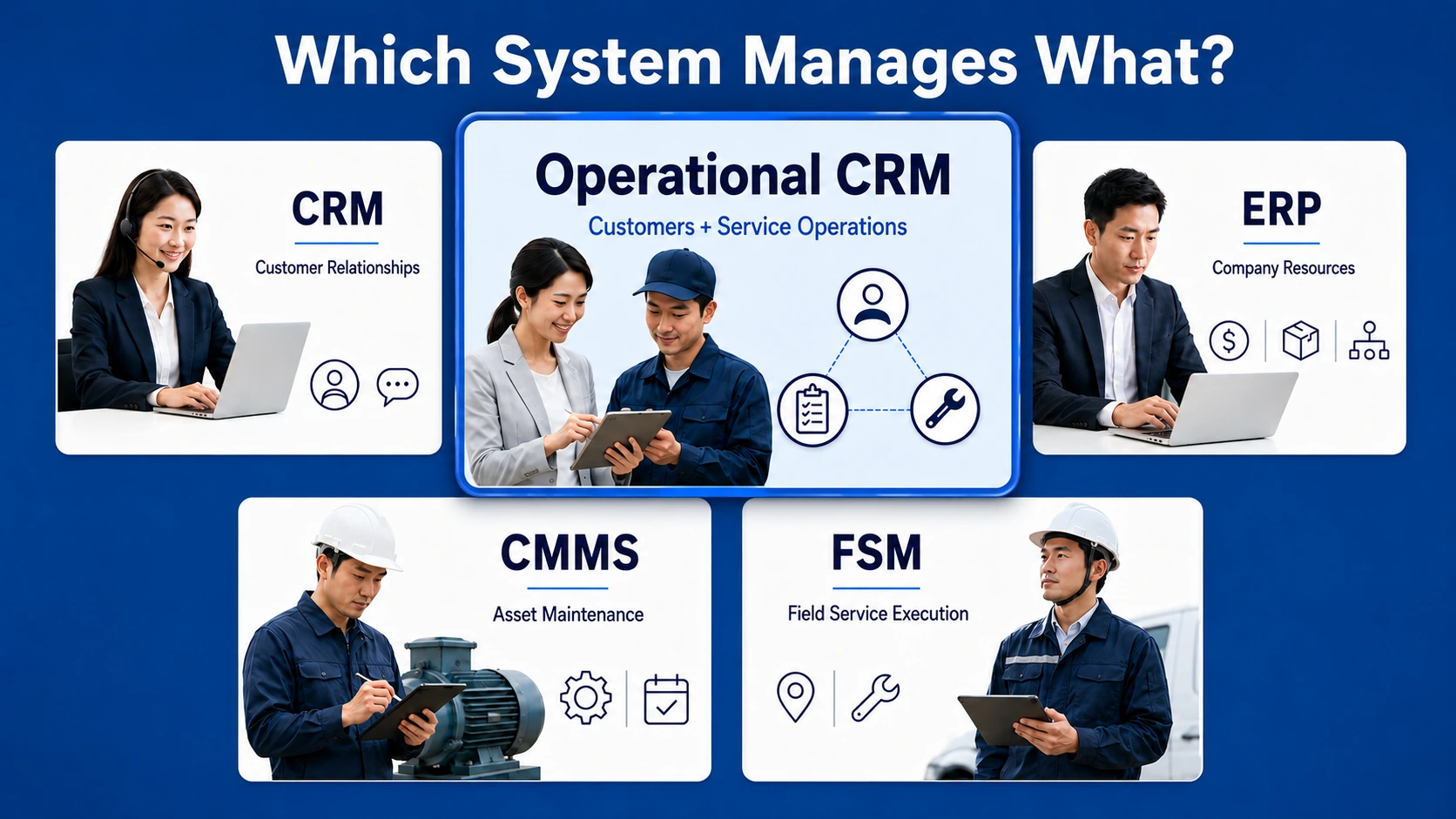
CRM, ERP, CMMS and FSM are designed to solve different business challenges.
They’re not competing systems—they’re complementary.
The right solution depends on what your business needs to manage.
If you’re a service business, Operational CRM bridges the gap between customer relationship management and day-to-day service operations, giving you one connected view of both your customers and your field activities.
As businesses grow, many owners encounter different software categories and wonder which one they actually need. The confusion is understandable because many platforms now offer overlapping features. The easiest way to understand the difference is by looking at each system’s primary purpose.
| System | Primary Purpose | Best For |
|---|---|---|
| CRM | Managing customer relationships | Sales teams and customer-facing businesses |
| Operational CRM | Managing customers and service operations | Service businesses with field teams |
| ERP | Managing company-wide resources | Finance, procurement, inventory and HR |
| CMMS | Managing maintenance activities | Asset owners and maintenance departments |
| FSM | Managing field service execution | Businesses coordinating technicians and service jobs |
Rather than replacing one another, these systems solve different operational problems.
Traditional CRM Helps You Win Customers
Traditional CRM focuses on managing
customer relationships throughout the sales journey. It helps businesses organise:
For businesses that mainly sell products or professional services, these capabilities are often sufficient.
Operational CRM Helps You Keep Customers
Service businesses have another
responsibility after the sale—they must consistently deliver the promised service.
Operational CRM extends traditional CRM by connecting customer information with daily
operational activities. This includes:
Instead of managing only customer relationships, Operational CRM manages the entire customer journey—from the first enquiry to every completed service visit.
CRM and ERP are often confused because both manage business information. However, they serve very different purposes.
| CRM | ERP |
|---|---|
| Manages customers | Manages business resources |
| Supports sales and customer service | Supports finance, purchasing and operations |
| Tracks customer interactions | Tracks company transactions |
| Improves customer relationships | Improves internal business efficiency |
Many growing businesses eventually use both systems because they complement one another.
CMMS (Computerised Maintenance Management System) is designed specifically for maintenance management. Its primary focus is improving asset reliability rather than customer relationships. Typical CMMS capabilities include:
If your business maintains customer-owned equipment, combining customer information with maintenance records creates a much more complete view of your service operations.
Field Service Management (FSM) focuses on coordinating work performed outside the office. Typical FSM capabilities include:
FSM improves operational efficiency by helping field teams complete work more effectively. Operational CRM incorporates many of these capabilities while keeping them connected to customer information, creating a seamless experience for both office staff and field teams.
The answer depends on your business model rather than the size of your company.
| If Your Business Needs To… | Recommended System |
|---|---|
| Manage leads, quotations and customer communication | CRM |
| Deliver installation, maintenance or repair services | Operational CRM |
| Manage finance, purchasing and company resources | ERP |
| Maintain equipment and physical assets | CMMS |
| Coordinate technicians and field jobs | FSM |
Some businesses only require one system.
Others benefit from integrating several
systems as operations become more complex.
Customer expectations have changed. Today’s customers don’t just expect good communication. They expect:
Meeting these expectations requires customer information and operational information to work together. Operational CRM makes that possible by connecting customer relationships with the operational activities that create those relationships. For growing service businesses, this creates a stronger foundation for delivering excellent customer experiences at scale.
CRM, ERP, CMMS and FSM each solve different business challenges.
The best choice isn’t determined by software category—it depends on how your business operates.
If your business delivers ongoing services, Operational CRM offers a practical way to connect customer management with service execution, helping your team work more efficiently while delivering a better experience for every customer.
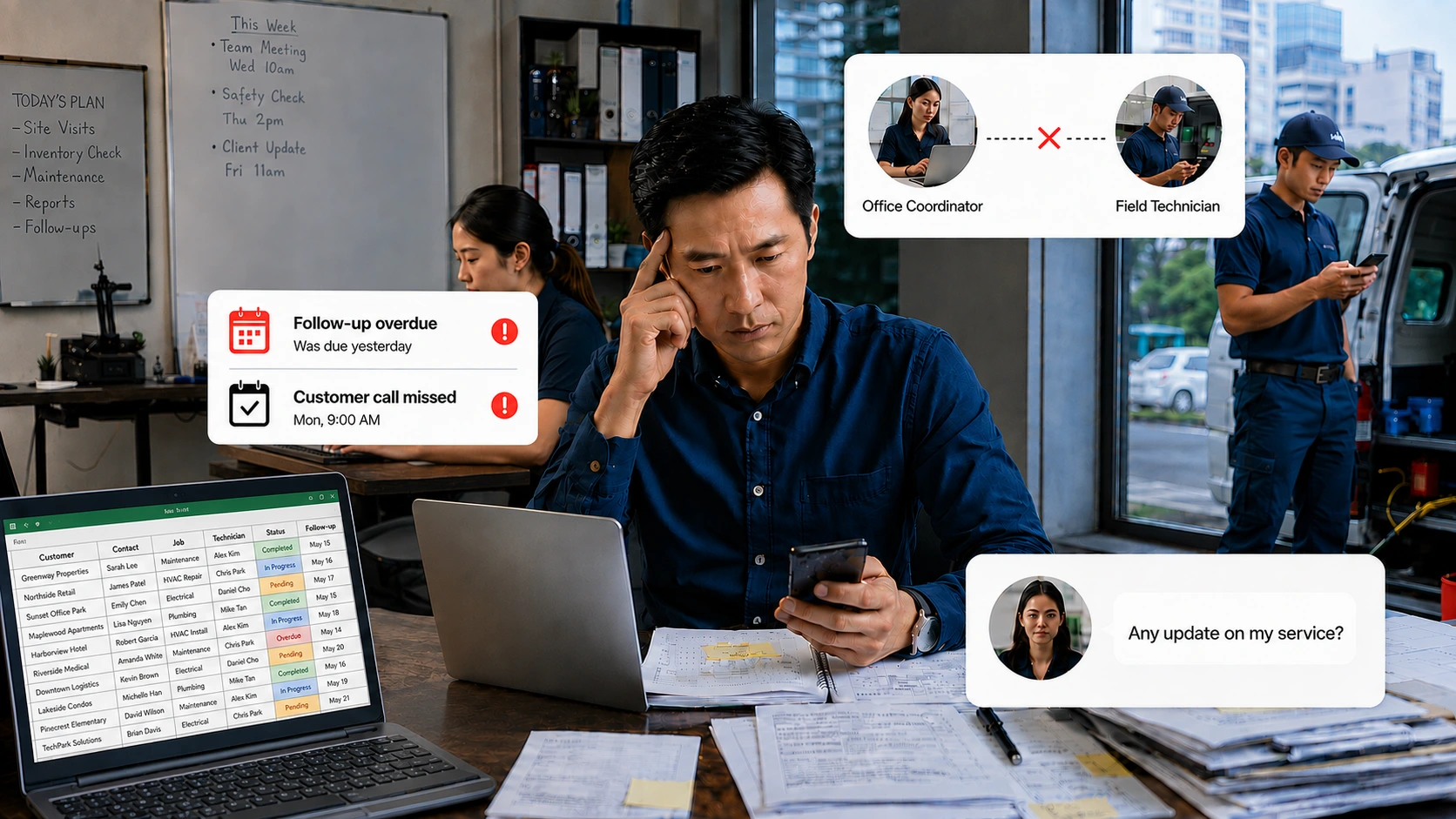
The best CRM isn’t the one with the most features.
It’s the one that solves your business problems, supports your daily workflows and continues growing with your business.
For service businesses, choosing the right CRM means looking beyond customer management and evaluating how well the platform supports service delivery.
Don’t begin by comparing software. Begin by understanding your operational challenges. Ask yourself:
The best CRM should solve these problems—not simply add more features.
Every industry works differently. A software company manages subscriptions. A property agency manages listings. A service business manages technicians, customer sites and ongoing maintenance. Choose a CRM that understands the way your business operates today—not just generic customer management.
Even the most powerful CRM creates little value if your team avoids using it. Look for software that’s:
High user adoption is often more valuable than having hundreds of advanced features.
Business growth brings new operational challenges. Choose a CRM that can support:
Migrating to another system later is far more expensive than choosing a scalable platform from the beginning.
Price should never be the only deciding factor. A lower monthly subscription means little if your team still relies on spreadsheets, WhatsApp messages and manual coordination. Instead, ask:
Those are the questions that determine long-term return on investment.
| Evaluation Criteria | Why It Matters |
|---|---|
| Solves your business challenges | Improves day-to-day operations |
| Easy to use | Encourages company-wide adoption |
| Supports your industry | Fits your workflows |
| Scalable | Grows with your business |
| Mobile-friendly | Supports office and field teams |
| Operational visibility | Improves decision-making |
| Strong implementation support | Increases long-term success |
Choosing CRM software isn’t about finding the platform with the longest feature list.
It’s about choosing a solution that helps your business deliver better customer experiences every day.
For service businesses, the most valuable CRM isn’t simply the one that manages customers—it’s the one that helps your entire organisation consistently deliver on the promises you make to those customers.
CRM (Customer Relationship Management) software helps businesses organise customer information, manage customer interactions and build stronger customer relationships throughout the customer lifecycle. Instead of storing information across spreadsheets, emails and messaging apps, CRM centralises customer data into one platform, allowing every department to work from the same information.
Operational CRM extends traditional CRM by connecting customer management with daily service operations. In addition to managing customer information, it helps businesses coordinate jobs, technicians, service history, assets, SOPs and operational workflows. This allows service businesses to manage the complete customer journey—from the first enquiry to every completed service visit.
Traditional CRM focuses on customer relationships, sales activities and communication. Operational CRM includes those capabilities while also supporting service delivery, technician coordination, work orders, service history and operational visibility. For businesses that provide installation, maintenance or repair services, Operational CRM creates a more complete view of both customers and operations.
Yes. Small businesses often benefit the most because CRM helps establish organised processes before operations become more complex. As the business grows, CRM makes it easier to manage customer relationships, improve collaboration and maintain service quality.
No. Although CRM is widely used by sales teams, it also benefits customer service, account management, operations and management. For service businesses, CRM becomes even more valuable when connected with operational workflows such as job management, technician scheduling and service history.
Service businesses should look beyond traditional customer management features.
An effective CRM should also support:
These capabilities help businesses deliver a more consistent customer experience.
CRM doesn't replace every communication tool. Instead, it reduces dependence on manual processes by centralising customer information, communication history and operational activities into one structured platform. Employees spend less time searching for information and more time serving customers.
Choose CRM software based on your business challenges—not the number of features.
The right solution should:
Customer relationships have always been the foundation of business success. But for service businesses, strong relationships are built through something more than customer information. They’re built through consistently delivering excellent service. Traditional CRM helps businesses organise customer relationships. Operational CRM helps businesses deliver those relationships through better operational execution. By connecting customer management with jobs, technicians, service history and operational workflows, businesses gain the visibility and consistency needed to create outstanding customer experiences at every stage of the customer journey. Whether you’re investing in your first CRM or replacing an existing system, the right platform should do more than help you remember your customers. It should help your entire organisation deliver on every promise you make to them.
Customer expectations continue to rise. Businesses are expected to respond faster,
communicate more clearly and deliver consistently high-quality service. Meeting these
expectations requires more than a customer database. It requires a connected platform
that brings together customer relationships and operational execution. Traditional CRM
remains an essential foundation for managing customer information. However, as service
businesses grow, managing customer relationships alone is no longer enough. The next
generation of CRM is evolving beyond sales and communication. It’s helping
businesses coordinate people, processes and service delivery—all while keeping the
customer at the centre of every decision.
That’s the role of operational
CRM.
Not replacing traditional CRM.
Expanding it.
Helping service businesses
move beyond simply managing customers to consistently delivering exceptional customer
experiences.
Ready to see what Operational CRM built for real service operations looks like?